How It Works

One-Time Set-up

  1. Create an account with your gmail address: This means no extra passwords to save.
  2. Upload your resume: You already have a resume, no doubt, so let's take a look at it as a starting point.
  3. Your resume gets processed: We take your resume and do our best to fill in the blanks from our side.
  4. Correct your Basic Profile Information: We took our best guess to get it from your resume, but there will be gaps, so review and correct us where needed.
  5. Correct your Work History: correct us what we got wrong where needed.
  6. Correct your Education: correct us what we got wrong where needed.
  7. Correct your Skills: correct us what we got wrong where needed.
  8. Tell us your Work Preferences: Let us know how important things like work environment, schedule, traveling, bonus and company size are to you.

Ongoing

Your Dashboard

When you log in going forward (or have just completed your one-time set-up), you'll see your dashboard.
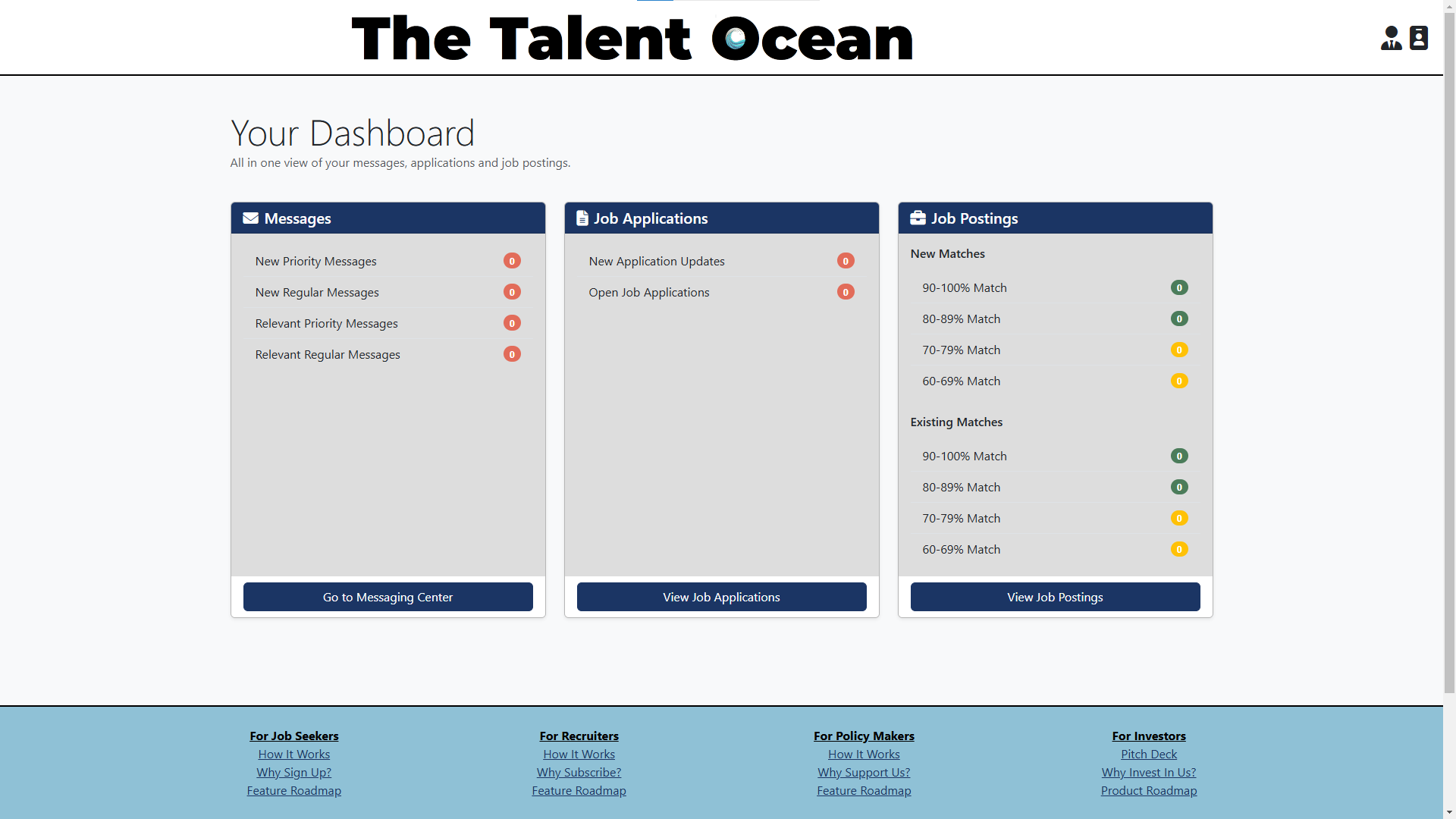
The dashboard is made up of three sections. On your left is the Messaging Center where you can see your messages to and from recruiters about jobs in progress. If you see new messages, go to your messaging center to check messages and respond. The second section is Job Applications where you have applied, and the number of new application updates you have. You can then go and view those updates or review past Job Applications. Finally, job postings where you can review your new and existing job matches based on your matching score.

Your Messages

Here you see your messages to and from recruiters. Newest messages are on top. Messages are about specific job postings and either side can end the conversation at any point in time.

Your Applications

Here you see the applications to which you've applied.

Your Job Postings

This is all jobs to which you haven't applied to in descending order of matching.

Loading...
Processing...